How to register yourself for the SAT exam step by step

So I won’t give you long paragraphs which will bore you, instead I’ll give you simple steps which if you follow will lead you to your result. Let’s get started.

Step: 01
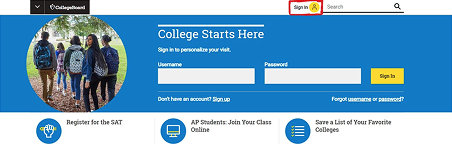
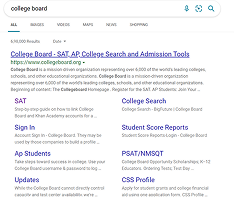
Go to the college board website. You can directly go to College Board – SAT, AP, College Search and Admission Tools or type “College Board” on the google and click on College Board – SAT, AP, College Search and Admission Tools as shown below.
Step: 02
Click On The Icon Showing “Sign In”.
Step: 03
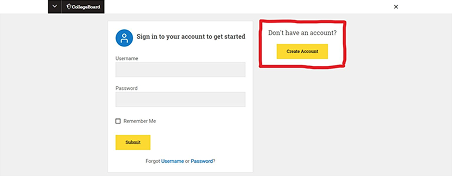
Click on the icon “Create Account” showing under the heading “Don’t have an account”.
Step: 04
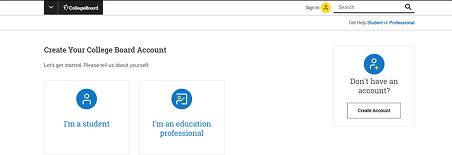
Click On The Icon Showing “I’m A Student”.
Step: 05
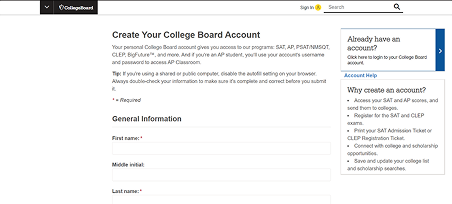
“Fill the form”. The form requires basic information about you such as your first name, last name, address, etc.
Step: 06
Once you have filled in the details and confirmed your details in the next step, your account will be created.
Step: 07
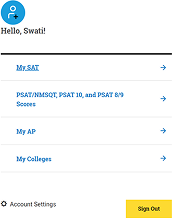
Click on My SAT to register yourself for the exam and enter your password, then click on the icon showing “Register for SAT”.
Step: 08
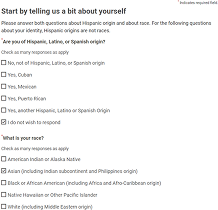
Enter your personal information as asked and click on “continue” at the bottom of the page. Successive pages will ask for more information about you and your parents/guardians. One should be careful while providing the information. For most of the questions asked, an option stating “I don't wish to respond” is provided, hence if you are uncomfortable while sharing any of the information, you may click on that option and move on forward.

Get ready to crack Exam with Career Launcher!

Choose your pathway to success with expert coaching for SAT & AP, MBA Entrance, and IPMAT. Achieve your academic goals through personalized mentoring, live classes, mock tests, and proven admission strategies.

Bindu’s Education Exam Prep

Bindu’s Education Exam Prep

Request Coaching Details